

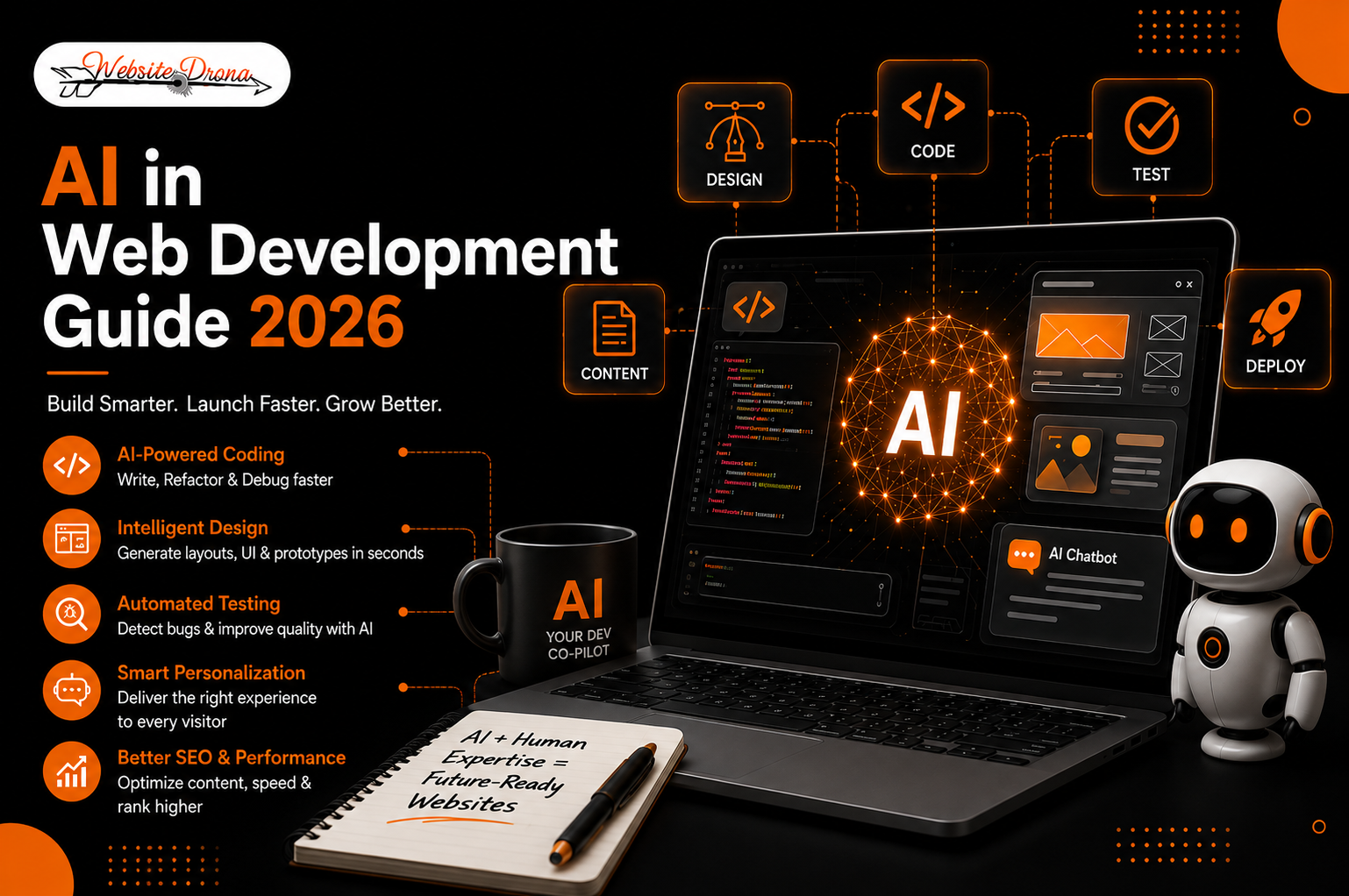
Artificial intelligence has moved from being a buzzword to becoming a core part of how websites are designed, built, and maintained. AI in web development is no longer just about autocomplete suggestions in a code editor — it now touches every stage of the process, from generating layouts and writing code to testing, personalizing user experiences, and optimizing content for search.
More than 81% of developers report increased productivity when using AI tools in their workflows, and AI-driven development is contributing to a projected growth rate of 25.2% in AI adoption through 2030. Close to 40% of web designers now use AI tools daily. This shift isn’t a passing trend; it’s a fundamental change in how digital products get built.
What Is AI in Web Development?
AI in web development refers to the use of machine learning, natural language processing, and automation tools to assist or automate tasks across the website building process — including coding, design, testing, content creation, and personalization.
Traditional web development relied entirely on manual coding, manual design decisions, and manual testing. AI-assisted development doesn’t remove the developer from the process. Instead, it acts as a co-pilot, handling repetitive, time-consuming tasks so humans can focus on strategy, creativity, and complex problem-solving.
How AI Is Transforming Website Development
AI is reshaping web development across three major areas: code, design, and quality assurance.
Code generation and automation — nearly 80% of developers reported productivity gains from AI coding tools, with 17% reporting a 10x increase in output. A separate analysis found that over 25% of new code for Google’s products is now generated by AI.
Design automation — AI design tools can generate layouts, suggest color palettes, and create wireframes in seconds, drastically cutting down the time it takes to go from concept to prototype.
Testing and quality assurance — AI-powered testing tools can automatically detect bugs, broken links, and UI inconsistencies across thousands of scenarios — something that would take a QA team days to do manually.
Key Benefits of AI in Web Development
Faster Development & Reduced Time-to-Market
AI eliminates hours of repetitive coding and design work. In fact, AI-assisted code review cycles have been measured as roughly 32% faster than traditional manual review — a meaningful jump when teams are trying to ship on tight deadlines.
Cost Reduction
By automating repetitive tasks like testing, documentation, and basic coding, businesses reduce development costs — not necessarily by cutting headcount, but by improving developer productivity and shortening release cycles.
AI-Powered Personalization
AI enables websites to adapt content, product recommendations, and layouts in real time based on user behavior. AI-driven personalization has shown roughly 25% higher growth impact compared to automation done without AI.
Improved Testing & Bug Detection
Automated AI testing catches issues earlier in the development cycle, reducing the number of bugs that make it to production.
Better SEO & Content Optimization
AI-powered SEO tools analyze top-ranking content, identify semantic gaps, and help optimize pages for both traditional search engines and AI-driven answer engines like Google AI Overviews.
24/7 AI Chatbot Support
AI chatbots handle customer queries around the clock, improving user experience while reducing the load on human support teams.
Enhanced Accessibility
AI tools can automatically flag low color contrast, missing alt text, and keyboard-navigation traps — helping websites better serve users with disabilities while reducing legal risk.
Real-World Example: AI in Action
To see how this plays out practically, look at how AI tools are already being used across a typical project:
- Webflow AI and Wix AI are used by agencies to turn a client’s brand guidelines into a responsive page structure in minutes instead of days, auto-handling breakpoints and component spacing.
- GitHub Copilot and JetBrains AI are commonly used for repo-aware code completion and refactoring, meaning the AI reads a project’s existing files and documentation to match established coding patterns rather than generating generic code.
- Cloudflare AI is used by many teams for predictive traffic monitoring — automatically pre-scaling servers before a spike hits, rather than reacting after a site slows down.
The common thread: AI handles the repetitive, data-heavy work, while the design decisions, brand voice, and final QA sign-off stay with the human team.
Top AI Tools for Web Design & Development in 2026
AI Code Assistants
Tools like GitHub Copilot, Claude Code, Cursor, and JetBrains AI help developers write, debug, and review code faster by suggesting code in real time or generating entire functions from natural language prompts.
AI Design Tools
Figma AI, Uizard, and Framer AI allow designers to generate layouts, wireframes, and even full UI kits from simple text descriptions, speeding up the prototyping phase.
No-Code/Low-Code AI Website Builders
Platforms like Wix AI, Webflow AI, and Bubble let non-developers build fully functional websites with minimal manual coding.
AI Testing & Monitoring Tools
Cloudflare AI and Rewind AI use predictive machine learning to monitor performance, catch errors in real time, and protect infrastructure.
AI Content & SEO Tools
Tools like Surfer SEO, Jasper, and AI assistants like Claude are widely used to draft content, optimize it for search intent, and ensure it aligns with what’s already ranking.
| Tool Type | Best For | Examples |
| Code Assistants | Developers writing/debugging code | GitHub Copilot, Claude Code, Cursor |
| Design Tools | Rapid prototyping & UI design | Figma AI, Framer AI, Uizard |
| No-Code Builders | Non-technical users, small businesses | Wix ADI, Durable, Webflow AI |
| Testing Tools | QA & bug detection | Testim, Applitools |
| Content/SEO Tools | Content creation & optimization | Surfer SEO, Jasper, Claude |
AI vs Traditional Web Development: What’s the Difference?
| Factor | Traditional Development | AI-Assisted Development |
| Speed | Slower, manual coding | Significantly faster |
| Cost | Higher (more manual hours) | Lower (automated tasks) |
| Creativity & Control | Fully human-driven | AI-assisted, human-guided |
| Testing | Manual QA | Automated, AI-driven testing |
| Personalization | Limited, rule-based | Real-time, behavior-based |
AI doesn’t replace the fundamentals of good web development — it accelerates them. The best results come from combining AI’s speed with human judgment on strategy, branding, and user experience.
Real-World Use Cases of AI in Web Development
- E-commerce personalization — AI analyzes browsing and purchase history to recommend products, increasing conversion rates.
- Automated content generation — AI drafts product descriptions, blog posts, and landing page copy, which humans then refine and fact-check.
- AI chatbot integration — Chatbots handle FAQs, support tickets, and lead qualification automatically.
- Automated code review and debugging — AI flags security vulnerabilities and code quality issues before code reaches production.
How to Use AI to Build a Website (With the Right Human Oversight)
AI can dramatically speed up website creation, but the best outcomes happen when AI and human expertise work together at each stage:
| Step | AI’s Role | Human’s Role |
| Planning & Design | Generates layout options, wireframes, and color schemes | Ensures brand consistency and creative direction |
| Coding | Writes boilerplate code, suggests functions | Reviews logic, security, and architecture decisions |
| Content Creation | Drafts, copy, product descriptions, blog posts | Fact-checks, edits tone, ensures brand voice |
| Testing & QA | Detects bugs, visual inconsistencies | Makes final call on what ships to production |
| Launch & Optimization | Analyzes performance data, suggests improvements | Sets strategy and prioritizes what to fix first |
As one industry practitioner put it in a recent DesignRush interview, AI isn’t replacing the need to understand core programming logic — it’s shifting how that knowledge gets applied, since developers still have to guide, debug, and refine whatever the AI produces.
This “AI drafts, human decides” approach ensures speed without sacrificing quality, security, or brand authenticity — which is increasingly important as search engines and AI answer engines prioritize content that demonstrates real expertise and human oversight (E-E-A-T: Experience, Expertise, Authoritativeness, and Trustworthiness).
AI Web Development Best Practices
- Keep humans in the loop — Always review and verify AI-generated code and content before publishing.
- Choose the right tool for the job — Not every AI tool fits every project size; match the tool to your team’s skill level and project scope.
- Prioritize data privacy and security — Verify compliance standards like GDPR and SOC 2 before feeding sensitive data into AI tools.
- Treat AI as an assistant, not a replacement — Use AI to speed up repetitive work, not to replace strategic decision-making.
- Establish clear review loops — Define exactly what AI can auto-approve versus what always needs a human sign-off before deployment.
- Stay updated — AI tools evolve quickly; regularly evaluate whether newer tools better serve your workflow.
Challenges & Limitations of AI in Web Development
- Over-reliance and skill erosion — As AI takes over more coding and design tasks, teams risk losing critical problem-solving and architectural skills, creating “black box” workflows where developers accept AI output without fully understanding it.
- Bias and data limitations — AI systems trained on static or outdated datasets can miss emerging standards or produce suboptimal, inaccurate suggestions.
- Debugging AI-generated code can sometimes be more time-consuming than writing it from scratch, especially for complex logic.
- Transparency and code ownership — Questions remain around who owns AI-generated code and how traceable/licensed that output is, which matters for compliance.
Is AI Replacing Web Developers?
No. AI is augmenting web developers, not replacing them. AI tools automate repetitive coding, testing, and debugging tasks, but human developers still make critical decisions around architecture, security, product strategy, and user experience. Industry practitioners note that even junior developers are shifting their focus away from raw coding and toward requirements gathering, task breakdown, code review, security practices, and stakeholder communication — human judgment on business requirements remains firmly in human hands for the foreseeable future.
Future of AI in Web Design & Development
- Deeper human-AI collaboration, where developers and designers act more as strategists while AI handles execution and optimization.
- Autonomous site builders — end-to-end systems that design, code, test, and deploy fully functional websites with minimal human input.
- AI-driven design feedback loops that analyze live user interactions and instantly suggest layout or UX improvements.
- Voice and AI search optimization, as more users interact with websites through conversational AI interfaces.
Conclusion
AI website development is no longer the future—it’s the present. By combining automation, intelligent design, and data-driven optimization, AI helps businesses build faster, smarter, and more engaging websites. However, the best results come from blending AI’s efficiency with human expertise to ensure security, creativity, scalability, and a seamless user experience.
At Website Drona, we combine cutting-edge AI technologies with expert web development to create SEO-friendly, high-performance, and future-ready websites that help businesses grow online.
Ready to Build an AI-Powered Website?
Whether you need a new website, an AI-powered upgrade, or a custom web solution, Website Drona is here to help. Contact us today for a free consultation, and let’s build a smarter website for your business.
Frequently Asked Questions
What is AI web development?
AI web development is the use of artificial intelligence tools to assist with coding, design, testing, and content creation throughout the website-building process.
Can AI build a website?
Yes, AI-powered no-code platforms like Wix AI and Webflow AI can generate a functional website in minutes, though custom or complex projects still benefit from human developers.
Is AI replacing web developers?
No. AI is automating repetitive tasks, but human developers remain essential for architecture, security, and strategic decisions.
What are the best AI tools for developers in 2026?
Popular options include GitHub Copilot, Claude Code, and JetBrains AI for coding, along with Figma AI and Framer AI for design.
How does AI improve website design?
AI improves website design by generating layout options, automating accessibility checks, and enabling real-time personalization based on user behavior.